Sorry your browser is not supported!

You are using an outdated browser that does not support modern web technologies, in order to use this site please update to a new browser.

Browsers supported include Chrome, FireFox, Safari, Opera, Internet Explorer 10+ or Microsoft Edge.

FPSC Classic Product Chat / Getting the best quality looking game- Help?

Author
Message
CodeofWar
15
Years of Service
User Offline
Joined: 13th Aug 2010
Location: United States
Posted: 17th Aug 2010 20:14
ok, I want my game to look the best it can for FPS Creator. I recently bought a bunch of stuff from the creator store:
Type83 tank
This Grass that said High texture
Some other objects that claimed to be 1024x1024 resolution.
etc..

But when I tested them all out they looked average..nothing high quality texture. Oh and I also got the Hi-Res Room but when I try to lay it down it doesn't actually make a room.....

I know it has to do the Lighting and Shaders, but I don't understand how people have programs to help maximize graphics. Is there a program I can get that lets me get the best graphics?

I was looking at DarkShader but IDK if that would work with FPS Creator. Someone said something about making 4 kinds of files but again, IDK how to do that.

Nbt
16
Years of Service
User Offline
Joined: 11th Oct 2009
Location: Behind you!!
Posted: 17th Aug 2010 23:47
Did you make sure you set the texture quality at the highest setting in FPSC ?? Also please remember that the descriptions of items in the store are written by the seller and we all have different ideas of what quality is

Kravenwolf
17
Years of Service
User Offline
Joined: 14th Apr 2009
Location: Silent Hill
Posted: 18th Aug 2010 01:39
Quote: "Is there a program I can get that lets me get the best graphics?"


Blender and GIMP are the two programs that I use (outside of FPSC). Both are free. Blender to make the models, and GIMP to make the textures and the shader maps.

Quote: "Some other objects that claimed to be 1024x1024 resolution."


They probably are. But just because their texture maps are higher resolution doesn't nessasarily mean they'll be better quality than lower res textures. Texture resolution, and the overall quality of the actual texture are only two of several factors that contribute to 'better graphics'. For example;

Shaders are a big factor when it comes to delivering quality in today's games. Normal and specular mapping, and full screen shaders such as bloom and motion blur also make for nice eye candy. But if it's overdone, it can have the opposite effect. Even so, shaders won't do much good to enhance visual appeal without proper lighting in your scene. And respectively, low quality textures, and low quality 3D meshes can bring down the effect of good lightmapping.

-----

Game Settings;

As Nbt already mentioned, go into your setup ini file and increase the lightmap quality. Mine is set to 65. Open the Preferences tab in the FPSC editor, and make sure your lightmap quality is set to best for performance, and your texture quality is set to high (no reduction).

-----

Screenshots;

-----

Settings
1024x1024 resolution textures, no reduction, best for quality, 100 lightmap quality, and no shader effects.

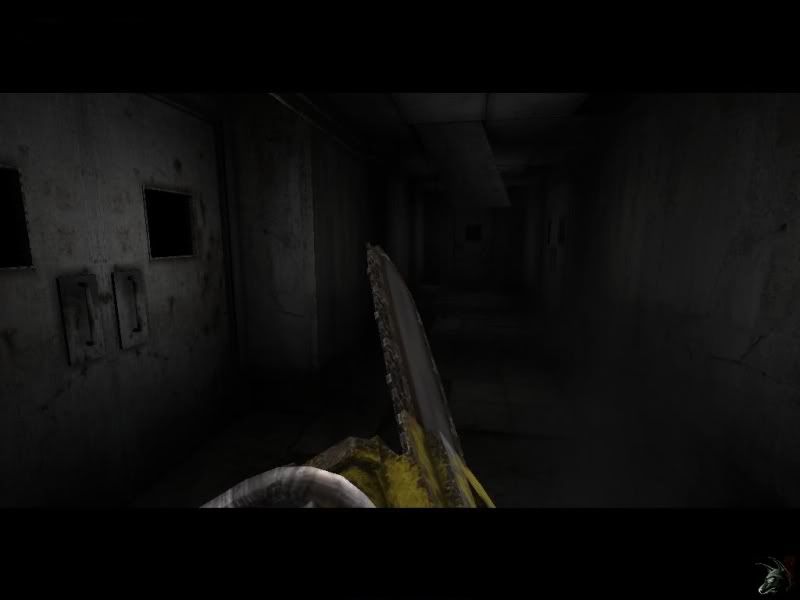


-----


Settings
512x512 resolution textures, No lightmapping, and no shader effect.


Settings
Added Lightmapping, 65 lightmap quality, no reduction.


Settings
Added normal and specular shaders.


Kravenwolf

Nickydude
Retired Moderator
19
Years of Service
User Offline
Joined: 4th Nov 2006
Location: Look outside...
Posted: 18th Aug 2010 01:43 Edited at: 18th Aug 2010 01:45
Sometimes it's all about the right lighting. This was done in V1.16, no particle effects, no shaders, just good lighting and a change of the lightmaptexsize & lightmapquality in the setup.ini.

http://www.youtube.com/watch?v=VhyYTmrbUfo


For KeithC
CodeofWar
15
Years of Service
User Offline
Joined: 13th Aug 2010
Location: United States
Posted: 18th Aug 2010 03:05
Kraven wolf, that last pic you have is EXACTLY what I am trying to achieve in lighting!

Is there a thread or video explaining how to use Normal and Specular shaders to give that realistic feel?

Also, I am trying to make it so my guy is a source of light so you can see his gun, even in the dark. Is there a thread for that?

Thank you soo much!
-Dave

Login to post a reply

Server time is: 2026-07-05 00:01:18
Your offset time is: 2026-07-05 00:01:18