Sorry your browser is not supported!

You are using an outdated browser that does not support modern web technologies, in order to use this site please update to a new browser.

Browsers supported include Chrome, FireFox, Safari, Opera, Internet Explorer 10+ or Microsoft Edge.

FPSC Classic Product Chat / how do you make light entites work?

Author
Message
liljerksmerf
14
Years of Service
User Offline
Joined: 29th Apr 2012
Location:
Posted: 2nd May 2012 03:06
what do u do to get like a lamp or a wall light to light up

gameing is a life style
Ross tra damus
3D Media Maker
20
Years of Service
User Offline
Joined: 7th Jun 2006
Location: Looking to Escape London
Posted: 2nd May 2012 09:56
Your first step would be to look at the 'FPSC Manual' which can be found here:
C:\Program Files\The Game Creators\FPS Creator\Docs

Theres a lot of well explained material in it.
Troutflies
15
Years of Service
User Offline
Joined: 24th Feb 2011
Location: Stuck outside my map.
Posted: 2nd May 2012 18:10
Well there are two ways you can do it.

One has to do with shaders which I am not well versed at.

The other way is you could place a lamp and place your light marker so it appears that the lamp is illuminated.

Remember the light from the little light bulb marker comes from the top of the bulb.

When you place the bulb, click on it then pull up it's settings you can then use the arrow keys to position the light marker for best results.

Here is an example:
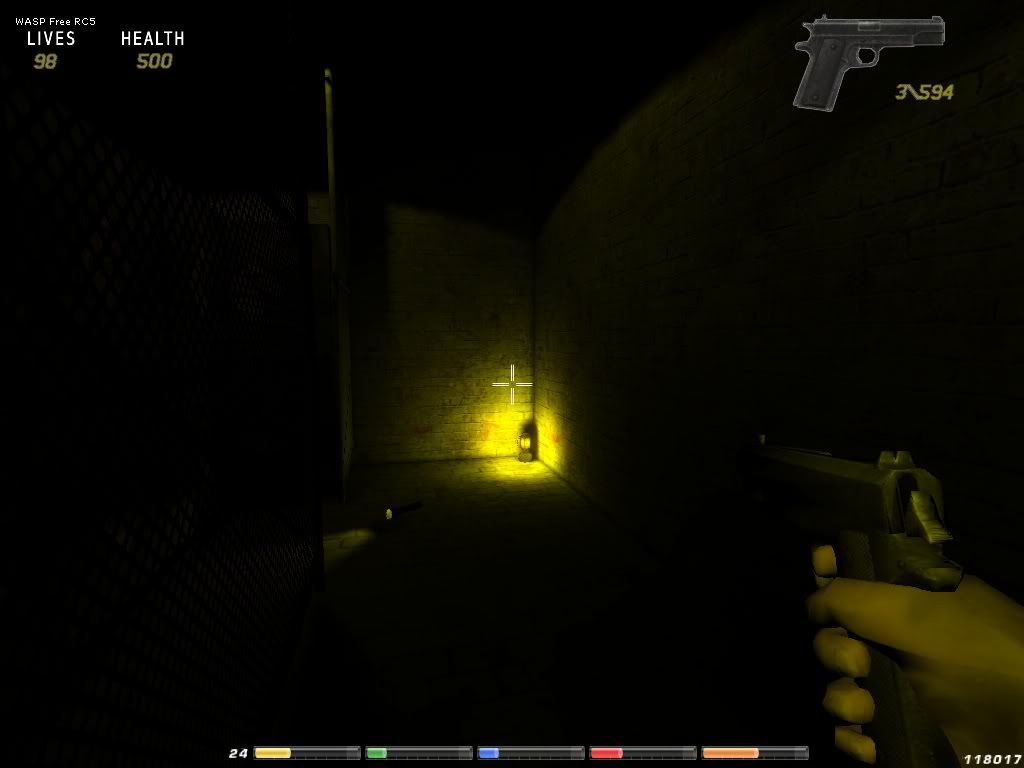

you might check this link out about directional lighting it's actually pretty easy, and can be really effective.
http://forum.thegamecreators.com/?m=forum_view&t=186793&b=21

IF you'd like shoot me an email and I can help you out with it.

Login to post a reply

Server time is: 2026-07-04 21:40:00
Your offset time is: 2026-07-04 21:40:00