Procedural Generated Grass Challenge
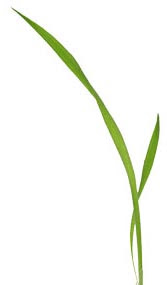
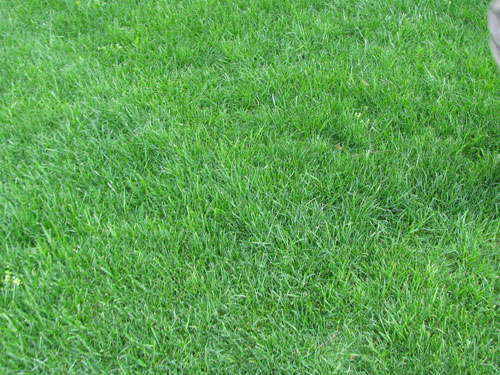
 Somehow generate grass whether it is a blade of grass, a grass texture or a field of grass.
Start Date: 17th Dec 2012
End Date and Time: 1st of Jan 2013 23:59 Forum Server Time
Possible Participants
Somehow generate grass whether it is a blade of grass, a grass texture or a field of grass.
Start Date: 17th Dec 2012
End Date and Time: 1st of Jan 2013 23:59 Forum Server Time
Possible Participants
pictionaryjr
Arbrakan
Green Gandalf
chafari
Phaelax
Sergey K
RonsWare
[center]
Entries
Phaelax -
Rem Project: Dark Basic Pro Project
Rem Created: Wednesday, December 19, 2012

Rem ***** Main Source File *****

randomize timer() : cls

rem draw grass
for y = 64 to 192
    for i = 1 to 50
        g = rnd(127)

        x = rnd(128)
        h = rnd(50)+14
        yy = y
        y2 = y-h
        if yy > 128 then yy = 128
        if y2 > 128 then y2 = 128
        ink rgb(28,64,28), 0
        line x+1, y2-1, x+1, yy
        ink rgb(48,128+g,48), 0
        line x, y2, x, yy
    next i
next y

rem get grass images
for i = 1 to 64
    x = (i-1)*2
    get image i, x, 0, x+2, 128
next i


HILLS = 15

sync on
sync rate 60

by = 380

DO
    cls rgb(200,200,230)

    rem scroll grass
    if rightkey() = 1 then offsetX# = offsetX# + 2 : bounce = 1
    if leftkey() = 1  then offsetX# = offsetX# - 2 : bounce = 1
    if offsetX# > 128 then offsetX# = offsetX# - 128
    if offsetX# < 0 then offsetX# = 128 + offsetX#


    bOffset = sin((320-offsetX#)/2)*HILLS

    rem bounce the cube to show it "walking" through the grass
    if bounce = 1
        if by = 380+bOffset then p# = 2.0
        if timestamp+15 <= timer()
            inc jump, p#
            dec p#, 0.3
            by = by-jump
            if by >= 380+bOffset then bounce = 0 : by = 380+bOffset : jump = 0
            timestamp = timer()
        endif
    endif


    rem draw grass
    for x = 0 to 768 step 2
        img = x/2
        img = wrap(img, 1, 64)
        y = sin(a+(x-offsetX#)/2)*HILLS
        paste image img, x-offsetX#, 300+y, 1
    next x

    ink rgb(255,0,0),0
    box 295, by, 345, by+50

    rem grass overlays the red block
    for x = 0 to 768 step 2
        img = x/2
        img = wrap(img, 1, 64)
        y = sin(a+(x-offsetX#)/2)*HILLS
        paste image img, x-offsetX#, 300+y+96, 1
    next x

    sync
LOOP
Chafari -
autocam off
sync on
sync rate 60
set display mode 1024,768,32
hide mouse
rem setting lights...
color backdrop rgb(0,0,10)
set ambient light 4
hide light 0
make light 1
set spot light 1,45,55
position light 1,40,10,30
make light 2:position light 2,50,20,50:set light range 2,100

rem some textures
ink rgb(0,150,0),0
for i= 1 to 50
line 50,100,rnd(100),15+rnd(40)
next i
get image 10,0,0,100,100,1
create bitmap 1, 100,100
for i= 1 to 10000
c=rnd(255)
ink rgb(c,c,c),0
dot rnd(100),rnd(100)
next i
blur bitmap 1,6
get image 2,0,0,100,100,1
delete bitmap 1
paste image 2,0,0

rem making the grass
for i= 1 to 50
   for a= 1 to 50
    col#=rgbr(point(a*2,i*2))/12
    inc o
    make object plain o,6,6:set object cull o,0
    position object o,i,col#,a
    texture object o,10
    set object transparency o,4
    yrotate object o,rnd(180)
   next a
next i

make object sphere 10000,8,50,50:position object 10000,10,10,30:color object 10000,rgb(70,0,0)
position camera 45,15,5
point camera 10,10,30

rem using a helper object to animate grass, forcing plains to point helper position x,y,z
make object box 3000,0,0,0
do
rem grass animation
r=r+1
for i= 1 to 2500
  point object i,object position x (3000),object position y(3000),object position z(3000)
next i

position object 3000,camera position x(),camera position y(),camera position z()
move object 3000,2
yrotate object 3000,r

rem light turning
r#=r#+3
rotate light 1,10,r#,0
sync
loop
The Comet -
rem epic grass
rem by TheComet

ink 0xFF00FF00, 0
line 200, 50, 250, 250

wait key
end
The Comet -
rem grass 1
rem by TheComet

rem setup screen
sync on
sync rate 60
backdrop on
color backdrop 0
hide mouse

rem -----------------------------------------------------------------------
rem setup
rem -----------------------------------------------------------------------

rem number of grass objects to use
#constant GrassCount 300

rem global sine wave
global sine# as float

rem amplitude
global sineAmp# as float
global targetSineAmp# as float

rem direction
global sineDir# as float
global targetSineDir# as float

rem array for storing sine wave offset
dim sineOffset() as integer

rem -----------------------------------------------------------------------
rem generate terrain texture
rem -----------------------------------------------------------------------

rem create bitmap
create bitmap 1 , 128 , 128

rem underlying colour is dark green
ink 0xFF006000,0
box 0 , 0 , 127 , 127

rem draw some random brown dots
for n = 1 to 120
        sx = rnd(127)
        sy = rnd(127)
        a = rnd(5)+2
        ink rgb(rnd(80)+20,rnd(40),0),0
        FillCircle( sx , sy , a )
next n

rem draw some random grey dots
for n = 1 to 8
        sx = rnd(127)
        sy = rnd(127)
        a = rnd(120)+40
        ink rgb( a , a , a ),0
        a = rnd(5)+2
        FillCircle( sx , sy , a )
next n

rem blur bitmap
blur bitmap 1 , 6

rem draw some random green lines
for n = 1 to 800
        sx = rnd(127)
        sy = rnd(127)
        a = rnd(360)
        ex = cos(a)*12+sx
        ey = sin(a)*12+sy
        ink rgb(rnd(20),rnd(50)+40,rnd(20)),0
        line sx , sy , ex , ey
next n

rem blur again
blur bitmap 1 , 1

rem get image
get image 1 , 0 , 0 , 128 , 128
delete bitmap 1

rem -----------------------------------------------------------------------
rem generate grass texture
rem -----------------------------------------------------------------------

rem create bitmap
create bitmap 1 , 128 , 128

rem draw grass
for n = 1 to 50
        ink rgb( 0 , rnd(60) + 195 , 0 ) , 0
        line rnd(64)+32 , 127 , rnd(128) , rnd(96)
next n

rem get image
blur bitmap 1 , 2
get image 2 , 0 , 0 , 128 , 128
delete bitmap 1

rem -----------------------------------------------------------------------
rem generate sky texture
rem -----------------------------------------------------------------------

rem create bitmap
create bitmap 1 , 128 , 128

rem draw sky
for n = 0 to 127
        ink rgb( 0 , n*2 , 255 ) , 0
        line 0 , n , 127 , n
next n

rem get image
get image 3 , 0 , 0 , 128 , 128
delete bitmap 1

rem -----------------------------------------------------------------------
rem generate terrain
rem -----------------------------------------------------------------------

rem using a matrix (haven't used one of these in 5 years)
make matrix 1 , 200 , 200 , 20 , 20
prepare matrix texture 1 , 1 , 1 , 1
randomize matrix 1 , 5
update matrix 1

rem -----------------------------------------------------------------------
rem generate grass
rem -----------------------------------------------------------------------

rem create plain mesh
make object plain 1 , 20 , 10
make mesh from object 1 , 1
add limb 1 , 1 , 1
rotate limb 1 , 1 , 0 , 90 , 0
make mesh from object 1 , 1
delete object 1
make object 1 , 1 , 2
delete mesh 1
set object transparency 1 , 4
set object cull 1 , 0
set object normals 1

rem clone and spread on terrain
for n = 2 to GrassCount
        x# = rnd(2000)/10.0
        y# = rnd(2000)/10.0
        clone object n , 1
        position object n , x# , get ground height( 1 , x# , y# )+5 , y#
        yrotate object n , rnd(30)

        rem set sine wave data
        array insert at bottom sineOffset()
        sineOffset(n-2) = x#*0.8 + y#*2
next n

rem -----------------------------------------------------------------------
rem make sky
rem -----------------------------------------------------------------------

rem sky
make object sphere 10000 , 600
scale object 10000 , -100 , 100 , 100
texture object 10000 , 3

rem -----------------------------------------------------------------------
rem main loop
rem -----------------------------------------------------------------------

rem position camera
position camera 100 , 40 , -20
point camera 100 , 0 , 100

rem start of main loop
do

        rem control camera
        angle# = wrapvalue( angle#+(mousemovex()*1.2) )
        inc height# , mousemovey()*0.5
        dist# = 110
        set camera to follow 100 , 0 , 100 , angle# , dist# , height# , 2 , 0
        point camera 100 , 0 , 100

        rem control grass with the devil's number, because that's how the world works
        sine# = wrapvalue( sine#+6.66 )

        rem random amplitude spikes
        sineAmp# = curvevalue( targetSineAmp# , sineAmp# , 80 )
        if rnd(200) = 0
                if rnd(1)
                        targetSineAmp# = rnd(100)/40.0
                else
                        targetSineAmp# = rnd(100)/200.0
                endif
        endif

        rem random direction changes
        if rnd(100) = 0
                targetSineDir# = wrapvalue( sineDir# + (rnd(90)-45) )
        endif
        sineDir# = curveangle( targetSineDir# , sineDir# , 120 )

        rem modulate the grass
        ModulateGrass( sine# , sineAmp# , sineDir# )

        rem refresh screen
        sync

rem end of main loop
loop

rem -----------------------------------------------------------------------
rem functions
rem -----------------------------------------------------------------------

function ModulateGrass( sine# , amplitude# , direction# )

        rem edit vertexdata of each one
        for n = 2 to GrassCount
                lock vertexdata for limb n , 0

                        rem calculate offsets
                        x# = cos(direction#)*sin(sine#+sineOffset(n-2))*amplitude#
                        z# = sin(direction#)*sin(sine#+sineOffset(n-2))*amplitude#

                        rem offset relevant vertices
                        set vertexdata position 0 , x#+10.0 , 5 , z#
                        set vertexdata position 1 , x#-10.0 , 5 , z#
                        set vertexdata position 3 , x#-10.0 , 5 , z#
                        set vertexdata position 6 , x# , 5 , z#+10.0
                        set vertexdata position 7 , x# , 5 , z#-10.0
                        set vertexdata position 9 , x# , 5 , z#-10.0

                unlock vertexdata
        next n

endfunction

function FillCircle( x , y , r )

        rem draw filled circle
        for n = 1 to r
                circle x , y , n
        next n

endfunction
Arbrakan -
Rem Project: Procedural Generated Grass
Rem Created: Monday, December 17, 2012

Rem ***** Main Source File *****

set display mode 1280,768,32,1

set ambient light 80
color ambient light rgb(240,255,255)

fog on
fog color rgb(136,77,167)
fog distance 1500

make camera 1
position camera 1,0,100,-300
point camera 1,0,0,200
set camera range 1,10,15000

CloudsTexture()
make object sphere 2,-1000,64,64
position object 2, camera position x(1),camera position y(1),camera position z(1)
texture object 2,3
set object fog 2,0

WorldTexture()
make object plain 1,1200,1200
texture object 1,2
xrotate object 1,90

GrassTexture()
CreatGrass()

cloudRotate as float : cloudRotate = 0

do
    xrotate object 2,cloudRotate
    cloudRotate =cloudRotate-0.1
    set cursor 0, 0

fastsync
loop

function CreatGrass()
    local color_vert = 0

    make object triangle 9, -1.9,0,0,0,rnd(54)+20,0,1.9,0,0
    set object cull 9,1

    for i=10 to 4000
        clone object i,9
        scale object i,rnd(30)+60,rnd(50)+40,rnd(30)+60
        position object i,rnd(800)-400,0,rnd(600)-300
        zrotate object i,rnd(20)-10
        texture object i,1
        if object size y(i) > 20 then color_vert = 0 else color_vert = 255
        set object diffuse i,rgb(color_vert,rnd(255),0),0
    next
    hide object 9
endfunction

function GrassTexture()
    cls
    for x=0 to 8
        for y=0 to 8
        color_rnd = y*8
        dot x,y,rgb(0,rnd(60)+color_rnd,0)
        next
    next
    get image 1,0,0,8,8
endfunction

function WorldTexture()
    cls
    for x=0 to 512
        for y=0 to 512
        color_rnd = y/2-60
        dot x,y,rgb(rnd(20)+color_rnd+30,rnd(20)+color_rnd+60,20)
        next
    next
    get image 2,0,0,512,512
endfunction

function CloudsTexture()
    cls
    for x=0 to 64
        for y=0 to 64
        color_rnd = y
        cloud= rnd(40)
        dot x,y,rgb(111+cloud,204+cloud,199+cloud)
        next
    next
    get image 3,0,0,64,64
endfunction
Kezzla -
`grass positioning vars--------------------------------------------------------------
`adjust these to your preferred detail
grassmax = 3000
grassrad# = 1000
`--------------------------------------------------------------
sync on
sync rate 60
hide mouse
// generate a grass texture for the matrix
grasstexture(1,255)

//make grass object
gosub grassobject

//set up matrix
gosub matrixsetup


//Load grass objects
gosub loadgrass

//setup player object
player = grassmax+1
make object cube player,12
position object player,5000,0,5000
hide object player

//scatter grass models
matrix_scatter(1,object position x(player),object position z(player),grassrad#,1,grassmax)

color backdrop rgb(108,235,235)
set ambient light 50


//main loop===============================================
do
    grass_system(1,grassmax,grassrad#,4,1,8,0.3)
    object_wasd(player,10)
    object_mouselook(player)
    ground_to_matrix(player,1)
    text 0,0,"WASD + mouse to move"
    text 0,20,"shift to run, ctl to walk"
    sync
loop
//==========================================================

loadgrass:
    `make an array, this will hold grass sway modifier data
    dim multiplier#(grassmax)
    for x = 2 to grassmax
        clone object x,1,1
    next x
return

matrixsetup:
    make matrix 1,10000,10000,50,50
    randomize matrix 1,100
    prepare matrix texture 1,1,1,1
    set matrix 1,0,0,1,1,1,1,1
    update matrix 1
return

grassobject:
    autocam off
    position camera 50,10,-30
    backdrop on
    color backdrop 0
    sync

    `load some cones for the grass objects
    for x = 1 to 50
        make object cone x,10
        scale object x,50,300+(rnd(100)),50
        rotate object x,rnd(10),rnd(10),rnd(10)
        color object x,rgb(10,rnd(200)+55,10)
        position object x,rnd(100),0,rnd(10)
    next x
    sync
    `take a picture for the bilboard texture
    get image 2,0,0,screen width(),screen height()
    sprite 1,0,0,2
    size sprite 1,128,128
    cls
    paste sprite 1,0,0
    delete image 2
    get image 2,0,0,128,128
    delete objects 1,100
    delete sprite 1
    `setup a cross bilboard grass object and texture it
    make object plane 1,20,20
    offset limb 1,0,0,10,0
    make mesh from object 1,1
    delete object 1
    make object 1,1
    delete mesh 1
    make object plane 2,20,20
    rot = 0
    texture object 1,2
    for x = 1 to 4
        yrotate object 2,rot
        make mesh from object x,2
        rot = rot + 90
        add limb 1,x,x
        texture limb 1,x,2
        offset limb 1,x, 0,10,0
    next x
    delete object 2
    set object transparency 1,6
    scale object 1,100,200,100
return

function grasstexture(imagenumber,size)
    for x = 1 to size
        for y = 1 to size
            dot x,y,rgb(20+rnd(50),rnd(100)+55,20)
        next y
    next x
    get image imagenumber,1,1,size,size
endfunction


function matrix_scatter(matrixno,x#,z#,rad,startno,endno)
    //scatter models around matrix
    for x = startno to endno
        obx = x#-rad +rnd(rad*2)
        obz = z#-rad +rnd(rad*2)
        position object x, obx,get ground height(matrixno,obx,obz), obz
        Xrotate object x,object angle x(x)-9+rnd(18)
    next x

endfunction

function grass_system(startno,finishno,radius#,transparencymode,sway,swaydegree#,swayspeed#)
    for x = startno to finishno
        // set object transparency, this is more for when the routine is being used for more than one object group
        set object transparency x,transparencymode

        //sway grass======================================================
        if sway = 1
            if object angle x(x)<=(0-(swaydegree#/2)) then multiplier#(X) = swayspeed#
            if object angle x(x)>=(swaydegree#/2) then multiplier#(X) = 0-swayspeed#
            xrotate object x,object angle x(x)+multiplier#(X)
        endif
        //this section is to determine which side of the player grass is placed when walking
        if keystate(17) = 1 then Angle = camera angle y()-90 + rnd(180)
        if keystate(31) = 1 then Angle = camera angle y()+90 + rnd(180)
        if keystate(30) = 1 then Angle = camera angle y() - rnd(180)
        if keystate(32) = 1 then Angle = camera angle y() + rnd(180)

        //check for grass outside perimeter===============================
        if scancode()<> 0 `this is for first run because as all models would be placed in one spot after no keypress to set the angle
            if (object position x(x) > camera position x()+radius#) or (object position x(x) < camera position x()-radius#) or (object position z(x) > camera position z()+radius#) or (object position z(x) < camera position z()-radius#)
                CirX_Obj = sin(Angle) * radius# + camera position x()
                CirY_Obj = cos(Angle) * radius# + camera position z()
                position object x, CirX_Obj,get ground height(1,cirx_obj,ciry_obj), CirY_Obj
                xrotate object x,object angle x(x)-9+rnd(18)
                yrotate object x,rnd(360)
            endif
        endif
    next x
endfunction
//mouselook tied to object
function object_mouselook(object)
    xrotate camera 0,camera angle x()+mousemovey()
    yrotate object object,object angle y(object)+mousemovex()
    rotate camera 0,camera angle x(),object angle y(object),object angle z(object)
endfunction
//WASD tied to an object
function object_WASD(object,speed#)
    if shiftkey() = 1 then speed# = speed# *2
    if controlkey() = 1 then speed# = speed#/2
    if keystate(17) = 1
        move object object, speed#
        walking = 1
    endif
    if keystate(31) = 1
        move object object, negative(speed#)
        walking = 1
    endif
    if keystate(30) = 1
        move object left object, speed#
        walking = 1
    endif
    if keystate(32) = 1
        move object right object, speed#
        walking = 1
    endif
    position camera 0,object position x(object),72+object position y(object),object position z(object)
    if keystate(17) = 0 and  keystate(31) = 0 and keystate(30) = 0 and keystate(32) = 0
        walking = 0
      //if sound playing(steps) = 1 then stop sound steps
    endif
   //if walking = 1 and sound playing(steps) = 0 then loop sound steps
endfunction walking

//sets an objects y position to the matrix ground height
function ground_to_matrix(object,matrixno)
    position object object,object position x(object),get ground height(matrixno,object position x(object),object position z(object)),object position z(object)
endfunction

//simple negative number function
function negative(number#)
    neg# = 0-number#
endfunction neg#
